How to Use a Passport Photo Maker
A passport photo maker is not a general photo editor. It performs a well-defined series of automated operations to produce output that meets the exacting technical and biometric requirements imposed by government issuing authorities. Knowing what goes on under the hood helps lift some of the mystery as to why these tools work better and more consistently than manual approaches using general-purpose software.
The Basic Workflow
The whole procedure is straightforward no matter what tool or platform you use:
- Upload or capture. The user can either take a new photo using the app's camera or select an existing one from their device.
- Automated processing. The tool evaluates the picture, locates the face, and makes the required modifications — cropping, resizing, background removal, and positional correction — based on the rules of the chosen country and document type.
- Compliance validation. The edited photo is checked against official specifications: size, head size ratio, background color, DPI, and more. If the image does not pass any test, the tool will either fix it automatically or prompt the user to upload or retake the photo.
- Delivery. The final photo is delivered as a digital download or a print-ready file formatted for standard photo paper.
What the Tool Handles Automatically
Some of the most complicated steps in producing a compliant passport photo are ones you never have to touch:
Background removal replaces whatever was behind the subject with a solid white or off-white background, solving one of the most frequent reasons for photo rejection.
Face centering and cropping ensures the head occupies the correct percentage of the image height — a calculation the tool handles automatically.
Resolution and dimension validation makes sure the finished product meets the minimum pixel count and size requirements for the document type, whether that is the U.S. Department of State 2×2 inch format or the commonly used 35×45 mm format.
Exposure correction compensates for shadows, a common cause of rejection by major issuing authorities.
Different tools may offer different levels of automation. Some handle all of these steps once you upload your photo. Others provide a manual editor if you want to adjust the output before finishing.
Who Needs a Passport Photo Maker
The short answer is that anyone who needs to attach a photo to a government-issued travel or identity document can benefit from one. In practice, these tools become especially useful when getting to a studio is not easy, when the technical standards are hard to meet without help, or when the consequences of an error are significant enough to warrant a reliable process.
Among the heaviest users are first-time passport applicants. The standards for a first passport are stringent, and an inaccurate photo is one of the primary reasons applications get held up or sent back. A passport photo maker removes a lot of that guesswork by automatically applying the right specifications.
Those applying for passport renewal face the same photo requirements as first-time applicants. For those renewing by mail — a submission process now available in the United States and several other countries — a digital photo file with specific technical requirements is needed, making an online photo tool an obvious option.
Visa applicants frequently require photographs that do not match the size or background requirements of traditional passport photos. An applicant dealing with multiple countries or visa types may face different photo size requirements for each application. Country-specific and document-specific templates make a passport photo maker well suited to this use case.
When parents apply for passports for children or infants, a visit to a photo studio is often not a practical option. Placing a newborn in front of the right background in a studio is difficult; photographing the infant at home on a white blanket and uploading the photo to a processing tool is considerably easier. Many passport photo tools provide specific guidance for photos of infants and children.
Some rural and remote areas may not have a pharmacy, post office, or photo studio that offers passport photos nearby. An online service that lets customers print at home or mails physical prints to them helps fill this gap without requiring travel.
Frequent travelers who hold visas or permits for multiple countries may need compliant photographs for various jurisdictions on a regular basis. Having a process that can quickly generate photos for different countries on demand is a practical efficiency — instead of visiting a studio each time.
There is also a growing class of users uploading directly to government online portals. As passport and identity document applications increasingly adopt fully digital workflows, the requirement is shifting from traditional printed photos to digital image files with specific dimension, file size, and format specifications. A specialized tool ensures all digital requirements are met correctly.
For all of these users, the essential function of a passport photo maker remains the same: it takes a standard photo and converts it into a document-compliant image that conforms to a particular, officially defined format — without requiring you to learn or manually implement that format.
Requirements by Country
Passport photo requirements are not universal. The physical size, background color, head size, and file format for electronic submissions are all specified by the issuing authority of each country. Most national standards draw on a core set of requirements defined by the International Civil Aviation Organization in ICAO Doc 9303, which establishes a suite of baseline biometric specifications that apply to photos used in machine-readable travel documents globally. These rules are then layered with national measurements, and the differences between countries are considerable enough that submitting the wrong specifications can result in rejection.
Below is a summary of the requirements for some of the most widely used passports. Travelers applying for visas to any of these countries are generally required to meet the same photo specifications as that country's passport applicants, though requirements are subject to change as embassies or consulates advise otherwise.
Country | Photo Dimen sions | Back ground | Head Size (chin to crown) | Governing Authority |
United States | 2×2 inches (51×51 mm) | Plain white or off-white | 1–1⅜ inches (25–35 mm) | U.S. Department of State |
United Kingdom | 35×45 mm | Plain cream or light grey | 29–34 mm | HM Passport Office (HMPO) |
Canada | 50×70 mm | White | 31–36 mm | Immigration, Refugees and Citizenship Canada (IRCC) |
European Union / Schengen | 35×45 mm | White or light grey | 32–36 mm | ICAO-aligned national authorities |
Australia | 35×45 mm | White or light grey | 30–36 mm | Australian Passport Office |
India | 35×35 mm | White | 25–35 mm | Passport Seva / Ministry of External Affairs |
Note to editor: Verify all figures against the relevant official government portal before publication and at each annual review.
A few points are worth highlighting for those navigating these differences.
The United States is among the handful of countries that require a square photograph. The 2×2 inch size is unusual compared to other passport-issuing nations and has confused many applicants trying to use the same photo for a European document. The U.S. State Department further specifies that the photo must be printed on thick, matte or glossy photo-quality paper and must not be digitally enhanced, filtered, or otherwise manipulated in any way that alters the applicant's appearance.
Canada uses the largest standard photo size listed here at 50×70 mm. Canadian guidelines further require that two identical photos be submitted with a paper application, that the photos have been taken within the last six months, and that the photographer's name and date are printed on the back of each photograph.
EU and Schengen countries adhere to ICAO standards for dimensions, but each member state may have additional requirements — mostly regarding background color and acceptable head placement. Those applying to more than one Schengen country within a single period of travel should check the requirements of each destination individually.
India's square 35×35 mm format differs from the European rectangular standard, which leads to a significant number of errors among applicants who take photos without first checking country-specific instructions.
Across all of these regions, the common requirements are consistent: a solid, light-colored background; a neutral expression with both eyes open and mouth closed; no glasses; no head coverings except those worn for verified religious observance; and a photo taken within the last six months. These reflect the ICAO baseline. The discrepancies lie in specific dimensions and the tolerances each national authority applies.
Approved File Formats and Technical Requirements
In addition to size and background rules, a passport photo must also meet a number of technical parameters. These govern the digital qualities of the image file — pixel count, color mode, file type, and how much of the frame the face occupies. When submitting an application through a government portal, these digital standards are every bit as strict as the physical ones. A photo that fails a technical standard will be rejected before personal information is even entered, regardless of how otherwise correct it appears.
Below is a summary of the common technical requirements applied by most major issuing authorities, with variations noted where applicable.
Parameter | Standard Requirement | Notes |
File format | JPEG (.jpg) | Most widely accepted; some portals additionally accept PNG |
Minimum resolution (print) | 600 DPI | Required for printed photos to meet quality standards |
Minimum resolution (digital) | 300 DPI | Minimum for most online portal submissions; higher is preferable |
Color mode | Full color (RGB) | Black-and-white photos are not accepted by any major authority |
Background | Plain white or off-white | No patterns, gradients, objects, or shadows |
Head coverage | 70–80% of image height | Per ICAO Doc 9303 biometric standard |
Facial orientation | Directly facing camera | No tilting, angling, or portrait-mode distortion |
Photo recency | Taken within last 6 months | Required by virtually all issuing authorities; rooted in ICAO guidance |
Digital alterations | Not permitted | Filters, retouching, and appearance-altering edits are grounds for rejection |
Note to editor: Portal-specific file size limits and pixel dimension minimums vary. The U.S. State Department online renewal portal, for example, specifies a minimum of 600×600 pixels and a maximum file size of 10 MB. Verify current portal requirements annually.
Several of these parameters warrant a closer look, as they account for the largest share of technical rejections.
Resolution is among the least understood criteria. A photo that looks sharp on a phone screen can still fall below the minimum DPI required for a clear printed photo. Although most smartphone cameras are capable of producing an acceptable image, screenshots, heavily compressed files, or photos sent through messaging apps — which strip metadata and compress file sizes — typically are not. A passport photo maker that outputs a file already formatted for 600 DPI printing removes this ambiguity.
The ban on digital manipulation is rigorously enforced by most agencies and is becoming increasingly significant as photo editing software grows more widely available. The U.S. Department of State clearly states that images must not be altered using computer software, phone apps, filters, or any other type of digital processing that changes the applicant's facial features. This includes smoothing skin tone, altering facial features, or applying any filter that changes how the subject naturally appears. Compliance edits made by a professional passport photo service — cropping, resizing, background replacement — are generally considered acceptable. Any modification that alters the face or appearance of the subject is not.
The head coverage ratio is a biometric requirement, not merely an aesthetic one. The 70–80% value in ICAO Doc 9303 exists because the facial recognition systems used at international border checks require a minimum face size for reliable biometric matching. A photo in which the head is too small — a common result when the subject stands too far from the camera — will fail automated biometric verification even if it passes a visual inspection.
Color mode is mandatory in all major jurisdictions. While some older passport booklets contain black-and-white printed photos, the photo submitted must always be in full color. Any conversion to black and white, if required, is handled by the issuing authority during document production — it is not the applicant's responsibility and is not a valid reason to submit a black-and-white photo.
Together, these technical parameters define what "compliant" means at the file level. A passport photo maker that correctly addresses all of them produces output that can be safely submitted without further processing by the user.
How to Take a Compliant Passport Photo with an Online Service
For most applicants, the practical route to a compliant passport photo now involves an online service or app rather than a specialized photo studio. The process is straightforward, but the end result depends heavily on the quality of the original photo taken before processing begins. A tool can fix dimensions, remove a background, and validate file specs — but it cannot make a poor source image compliant.
Taking the Source Photo
Before using any online service, the applicant needs a base photograph that gives the tool something to work with. A few consistent principles apply regardless of which service is used afterward.
Lighting is the most important factor. Diffuse daylight from a window on an overcast day produces the most even illumination with the fewest shadows. Direct sunlight creates harsh shadows on the face or the background wall. Artificial indoor lighting should be diffuse and come from multiple angles; a well-lit room with a plain background is typically sufficient.
Background should be as plain and light in color as possible. A white or cream wall, a sheet of white paper, or a plain light-colored backdrop gives the background removal tool the simplest possible input, resulting in a cleaner output. A busy or dark background increases the likelihood of artifacts around the hairline in the processed image.
Distance and framing matter more than most applicants realize. The subject should be positioned at a distance at which the head, neck, and tops of the shoulders are visible within the frame, with space above the top of the head. A photo taken too close crops the shoulders and leaves insufficient margin around the face, while one taken too far away reduces the face to a size that may fall below the minimum head coverage ratio.
Expression and posture should be set before the photo is taken, not adjusted afterward. Both eyes open, mouth closed, neutral expression, head level, looking directly at the camera — these are non-negotiable requirements that no software can correct after the fact.
Using the Online Service
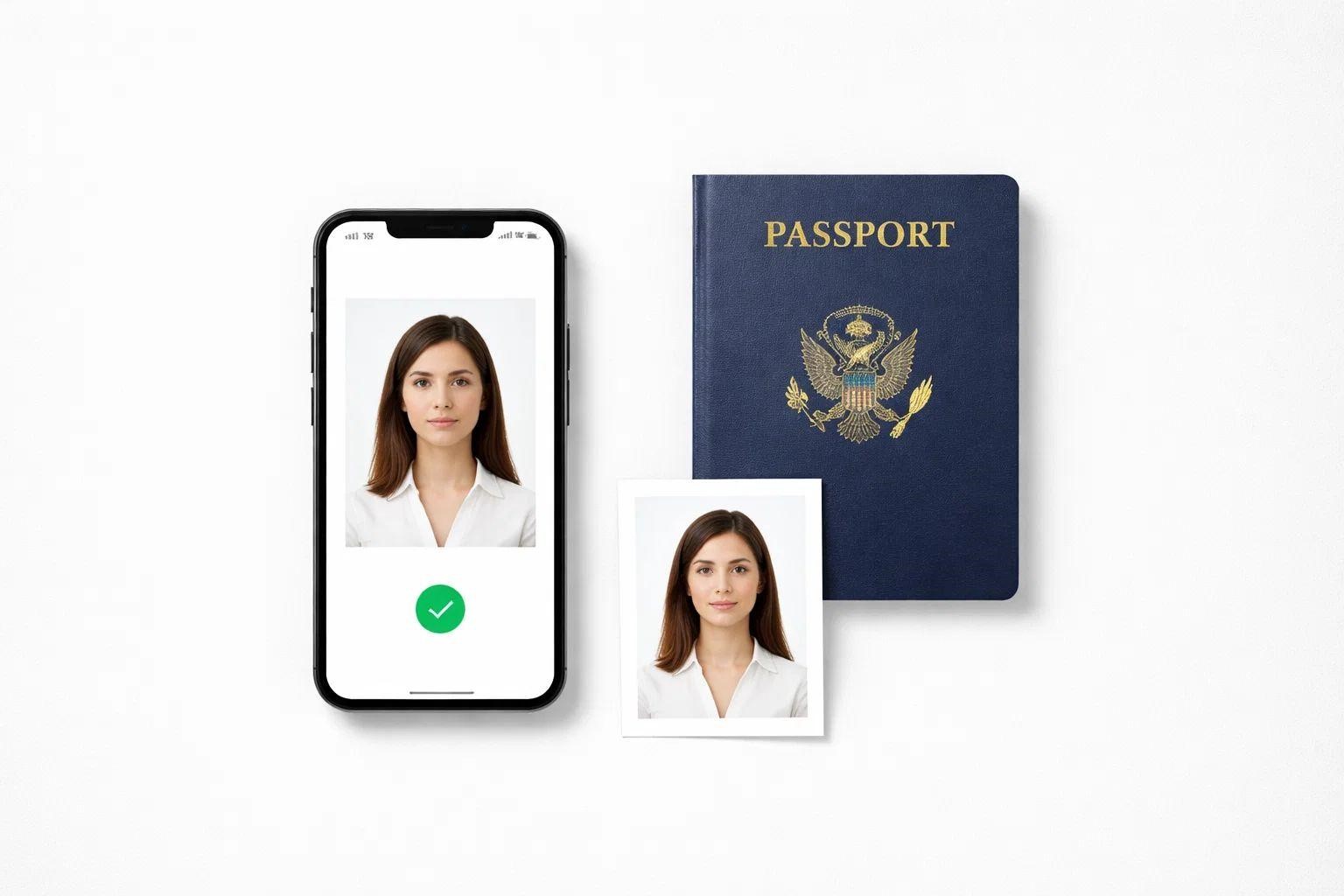
Once a good source photo is in hand, the steps through an online service or specialized app are broadly consistent. Online tools make the process simple — the user uploads a headshot, selects the destination country and document type, and the tool makes the necessary adjustments, delivering a compliant image in seconds.
The practical steps are as follows:
- Choose the document type and country. Most services offer a selection of countries and document types — passport, visa, national ID, residence permit, and others. Selecting the correct combination ensures the output meets the specifications of the relevant issuing authority.
- Upload the source image. The photo is submitted to the service, which analyzes face position, background, lighting, and technical quality.
- Review the processed result. The service delivers a processed version with the background removed, the face centered, and the image scaled to the correct dimensions. Many services display a compliance summary indicating which requirements have been met.
- Select a delivery option. Applicants can generally choose to download a digital file for submission through an online portal, download a print-ready file for printing at home or at a local print shop, or have physical printed copies mailed directly to them.
A Note on Print Quality
For paper-based passport and national identity document applications, the quality of the physical print is as important as the quality of the digital file. Photos must be printed on matte or glossy photo-quality paper — not regular printer paper. Most online services that offer physical prints use professional photo printing to fulfill orders. Those who choose to print at home should confirm that their printer and paper meet the requirements of the applicable issuing authority before submitting the application.
Common Mistakes That Cause a Photo to Be Rejected
Photo rejection is one of the most common reasons a passport or visa application is delayed. In the United States alone, a significant number of applications are held up each year due to non-compliant photos. Most of these cases are preventable. The mistakes that cause them are fairly predictable, and knowing them in advance is the best way to avoid them.
Shadows on the Face or Background
Shadows are among the most frequently cited technical reasons for rejection by major issuing authorities. They occur when light comes from one side of the subject, when the subject stands too close to the background wall, or when overhead lighting casts a shadow under the chin. A shadow on the face obscures the facial landmarks that biometric verification systems need to read accurately. A shadow on the background disrupts what should be a plain, uniform white or off-white field. The remedy is consistent: even, frontal illumination and sufficient distance between the subject and the background.
Wearing Glasses
This is a requirement that changed relatively recently and is still catching applicants off guard. The U.S. Department of State has prohibited glasses in passport photos since 2016. HM Passport Office in the UK, IRCC in Canada, and most EU member state authorities have since taken the same position. Most major issuing countries now disallow glasses in passport photos — whether prescription or non-prescription, tinted or clear. Submitting a photo with glasses is grounds for immediate rejection.
Incorrect Dimensions or Wrong Country Specifications
Using a photo formatted for one country's requirements on an application for a different country is a more common error than it might seem — particularly among experienced travelers managing multiple applications simultaneously. Although the size difference appears minor, a 35×45 mm European-format photo is not interchangeable with the 2×2 inch U.S. format. The aspect ratio differs, the tolerances for head placement differ, and many government portals will automatically reject a file that does not match the exact pixel dimensions required by the system.
Non-Neutral Expression
Even a slight smile is grounds for rejection. The ICAO biometric standard requires a neutral expression with both eyes open and the mouth closed. This is not a stylistic preference — it is a functional requirement. Facial recognition technology used at automated border control systems is calibrated against a neutral template. A smiling expression alters facial geometry enough to reduce matching accuracy, which is why the rule is applied uniformly.
Digitally Modified or Filtered Photos
Submitting a photo that has been processed through a social media filter or a beauty or skin-smoothing app is not permitted. This includes subtle edits — softening skin tone, brightening eyes, removing blemishes — as well as more obvious alterations. The prohibition exists because any modification that changes the subject's appearance creates a discrepancy between the image on the document and the person's real-life appearance, undermining the document's value as an identity verification instrument. Only the compliance edits performed by a professional passport photo service — cropping, background replacement, resizing — are acceptable. No other edits should be made to the photo.
Photo Taken More Than Six Months Ago
Most authorities require that the photo was taken within the last six months. This is an ICAO-based requirement that ensures the photo on the document bears a sufficiently recent likeness of the holder. Older photos — even those where the applicant's appearance has not changed noticeably — will be rejected if the date of submission is more than six months removed from when the photo was taken. Applicants who had photos taken in advance but did not apply immediately should confirm that their photos are still within the valid window.
Poor Image Quality
Blurred, grainy, pixelated, or low-resolution images are rejected for both physical and online submissions. This is often the result of using a heavily compressed image, submitting a screenshot, or sharing a photo through a messaging app that reduces file quality. The photo must be sharp, in focus, and at a high enough resolution to produce a clearly identifiable image. For print submissions, the photo must be printed on photo-quality paper — not standard office or inkjet paper — as the surface texture and finish are also evaluated.
Head Coverings
Head coverings are not permitted in passport photos unless worn daily for religious purposes. In those cases, the covering must not obscure any part of the face from the bottom of the chin to the top of the forehead. Hats, caps, hoods, and any other headwear not worn for religious observance must be removed for the photo, without exception.
Services such as PhotoGov have integrated compliance checks that automatically flag most of these issues prior to submission, significantly reducing the risk of rejection for a fixable technical problem.
Myths About Passport Photo Makers
A number of myths persist about passport photo requirements and about what passport photo makers can and cannot do. Some of these myths lead applicants to submit non-compliant photos with misplaced confidence; others create confusion about the scope of these tools. Addressing them helps set realistic expectations before submitting an application.
Myth: "Any selfie will do once you crop it."
Cropping alone does not produce a compliant passport photo. A close-range selfie taken with a front-facing camera introduces perspective distortion that alters facial features in ways cropping cannot correct. The focal length of most smartphone front cameras is also considerably shorter than that of rear cameras, making objects closer to the lens appear larger. Beyond these geometric issues, a selfie is very likely to be unevenly lit, taken against a non-uniform background, and at a resolution below what is required for print submissions. Cropping a selfie to the correct dimensions produces a photo that is the right size but compliant with few, if any, other requirements.
Myth: "Photo editing apps are fine as long as the result looks natural."
Filters, built-in editing tools, and photo enhancement apps are not permitted, regardless of how subtle the adjustments appear. A photo processed through these tools may look completely natural to a human reviewer, but the position of the issuing authority is unambiguous: the submitted photo must reflect the applicant's true, unedited appearance. Any tool that modifies how the subject looks is grounds for rejection, no matter how minor the alteration.
Myth: "Using a passport photo maker guarantees approval."
A passport photo maker produces a photo that conforms to the technical specifications it was designed to verify. It does not — and cannot — guarantee that the issuing authority will accept the application. Final acceptance rests entirely with the government agency, whose standards for neutral expression and overall image quality may be applied with considerable discretion. The compliance guarantees offered by commercial services are typically limited to technical specification compliance and cover refunds or reprints in the event of rejection for a documented technical reason — they do not extend to the issuing authority's independent judgment.
Myth: "Passport photo requirements are the same everywhere."
As the country comparison table in the previous section shows, national requirements vary significantly. Photo dimensions, head size tolerances, acceptable backgrounds, and approved file types all differ. A photo correctly processed for a UK passport application will not meet the requirements for a U.S. passport application, and vice versa. The ICAO standard establishes a common biometric baseline, but individual countries apply their own supplementary requirements on top of it. Assuming a single photo format will satisfy all jurisdictions is a reliable path to rejection.
Myth: "An older photo is fine if you haven't changed much."
The six-month currency requirement is not a judgment on whether the applicant's appearance has changed. It is a uniform administrative rule grounded in the ICAO framework for machine-readable travel documents. Issuing authorities do not assess whether the applicant resembles the photo — they verify whether the photo was taken within the permitted timeframe. An otherwise perfect photo that falls outside this window will be rejected on that basis alone, regardless of how accurately it reflects the applicant's current appearance.
Myth: "Passport photo makers are only for people without access to a studio."
Studio convenience is one reason to use an online service, but it is far from the only one. A photo studio prints a physical photograph to the standard size used in the country where the lab is located, which may not correspond to the requirements of the country where the application is being submitted. For applicants managing multiple documents across jurisdictions, or submitting applications through digital portals, an online tool can offer greater flexibility and precision than a walk-in studio experience.
Frequently Asked Questions
What is a passport photo maker? A passport photo maker is an online platform or application that transforms a standard portrait photograph into a government-compliant photo by adjusting the image to the dimensions, background, face positioning, and file type required for submission with a passport, visa, or national ID application.
Who should use a passport photo maker? It can be used by anyone applying for or renewing a passport, visa, or national ID. It is particularly useful for people in areas without convenient access to a photo studio, parents photographing infants or young children, and applicants who need photos formatted for more than one country's documentation requirements.
Can I take my own passport photo at home? Yes. You can take your own passport photo using a smartphone against a plain white background and then upload it to an online service that makes the necessary adjustments. What matters most is that the original photo is evenly lit with no shadows, and that the subject is positioned at an appropriate distance from the camera.
Why do passport photos get rejected? The most common reasons for rejection include shadows on the face or background, incorrect dimensions, a non-neutral expression, wearing glasses, a background that is not plain white or off-white, and a photo taken more than six months before submission.
Do passport photos need a white background? Most major issuing authorities — including the U.S. Department of State, HM Passport Office, and IRCC Canada — require a plain white or off-white background with no patterns, objects, or shadows. Some countries permit a light grey background as an alternative.
Which file format should I use for submitting a digital passport photo? JPEG is the most widely accepted file format for digital passport photo submissions. Some portals also accept PNG. The file must meet the minimum pixel dimensions and maximum file size specified by the relevant portal, which vary by country and system.
How old can a passport photo be? The vast majority of issuing authorities require that the photograph was taken within the last six months. This is based on ICAO recommendations for machine-readable travel documents and is applied universally — a photograph outside this window will be rejected regardless of how closely it matches the applicant's current appearance.
Summary
A passport photo maker is a practical, purpose-built tool that answers a specific, well-defined need: how to transform a standard photo into one that meets the precise technical and biometric requirements of a government issuing authority. It is not a general-purpose photo editor, and it does not replace an understanding of what the relevant authority requires. It is a specialized service that executes a defined set of rules automatically, eliminating the technical errors that most commonly cause delays or rejections in document applications.
The core requirements for a valid passport photo — correct dimensions, a plain white or off-white background, a neutral expression, an appropriate head-size ratio, sufficient resolution, and a photo taken within the last six months — are broadly consistent across countries, as they derive from the international baseline established by ICAO Doc 9303. The differences between countries lie in specific measurements and tolerances, not in fundamentals. A tool that correctly implements country-specific templates keeps those differences from becoming a problem.
The audience for these tools is larger than it might initially appear. First-time applicants, renewal applicants, visa applicants, parents, frequent travelers, those in areas with limited access to a studio, and anyone applying through a digital government portal all stand to benefit from using a dedicated service rather than attempting to produce a compliant photo manually. The consequences of a rejected photo — a delayed application, a returned submission, a missed travel date — are significant enough that the additional accuracy a dedicated tool provides is clearly worthwhile.
What makes passport photo requirements particularly demanding is that they are both precise and variable. Precise, because a single issue — a shadow, the wrong dimensions, a slight smile, a pair of glasses — is sufficient grounds for rejection. Variable, because requirements differ meaningfully between countries, and a photo prepared for one jurisdiction is not necessarily valid for another. A good passport photo maker addresses both of these realities by applying the correct specifications for the selected country and document type, and by validating the result against those specifications before delivery.