The Amazon recall scam text is a phishing attempt claiming a recent purchase has been recalled, urging victims to click a link for a refund to steal login credentials or financial information. These messages are fake, often featuring fake order numbers and spoofed, legitimate-looking links. Never click the link; instead, verify recalls directly through the Amazon app or website.
Sample Scam
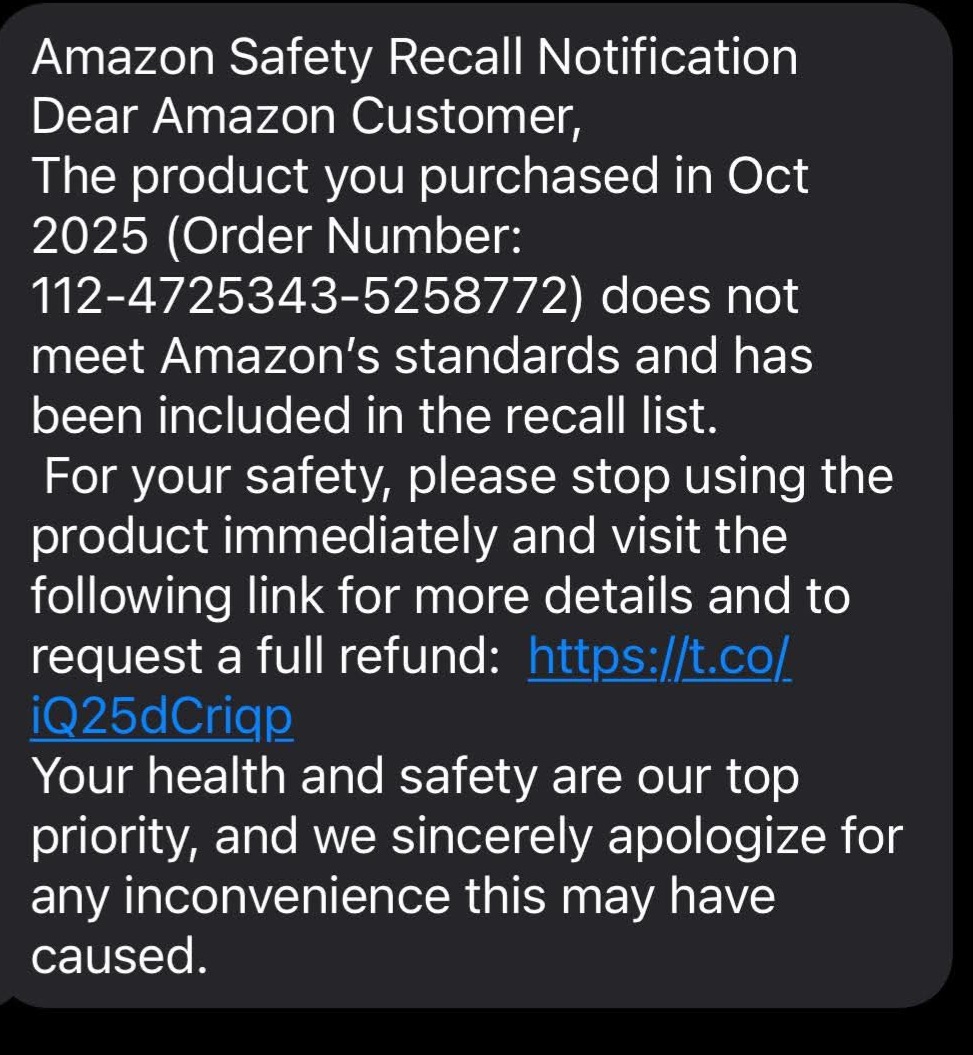
How the Scam Works
- The Message: You receive a text claiming a product you recently purchased is being recalled for "safety and quality issues".
- The Hook: It creates a sense of urgency, urging you to "stop using the product immediately" and click a link to arrange a "full refund".
- The Trap: The link leads to a fake Amazon website that looks identical to the real one. If you "log in," scammers capture your username, password, and sometimes your two-factor authentication (2FA) codes to take over your account.
Red Flags
- Vague Details: The text usually doesn't name the specific product and may use generic greetings like "Dear Amazon Customer".
- Suspicious Links: The URL often uses shortened links (like bit.ly) or misspellings of Amazon.
- Unusual Numbers: Messages often come from standard 10-digit mobile numbers or international codes (e.g., +91 for India) rather than Amazon's official short codes.
Safely Verify a Recall
Amazon does not send product recall notifications via text message. To check for legitimate alerts:
- Use the App/Website: Log in directly to your account at amazon.com or amazon.co.uk.
- Check Message Center: Go to Your Account > Message Center to see all authentic communications from Amazon.
- View Recalls Section: Search for "Recalls and safety product alerts" in the Amazon search bar or check Amazon's official recall page.
If Targeted
- Do not click any links and do not reply to the message.
- Report the text by forwarding it to 7726 (SPAM) on your mobile device.
- Report to Amazon: Send details of the scam to reportascam@amazon.com or use the Amazon Report a Scam tool.
- If you clicked/logged in: Immediately change your Amazon password and enable Two-Step Verification.