Fantasy writers and game designers spend countless hours describing creatures that have never existed anywhere but their own imagination — a three-horned beast that hunts in fog, a serpent with feathered wings that only appears at dusk. Those descriptions are vivid on the page, but turning them into something you can actually look at used to require serious illustration skill.
An AI image generator online closes that gap, and Dreamina in particular is remarkably good at interpreting detailed written descriptions into fully realized creature concepts, complete with texture, anatomy, and atmosphere.
Here's how to give your creature its first real form.
Why written description alone isn't enough anymore
A well-written creature description relies on the reader's imagination to fill in the gaps, but as a creator, seeing your own concept can reveal problems or opportunities the text alone never showed you — proportions that don't quite work, or a silhouette that turns out more striking than you expected.
Building a creature from function, not just appearance
The most convincing fantasy creatures feel like they evolved for a purpose, even a fictional one. Before describing appearance, consider what the creature does: hunts in packs, guards a treasure, survives in extreme cold. That functional logic naturally suggests physical details — camouflage patterns, specialized limbs, defensive features.
- What does it eat, and how does it hunt or forage?
- What environment shaped its body and coloring?
- What makes it dangerous, or alternatively, harmless?
Layering anatomy from real animals into something new
Even the most fantastical creatures usually borrow structural logic from real animals. Combining features — a wolf's stance with a reptile's scales, a bird's wings with an insect's segmented body — gives Dreamina clear anatomical reference points to work from, producing a creature that feels physically plausible rather than randomly assembled.
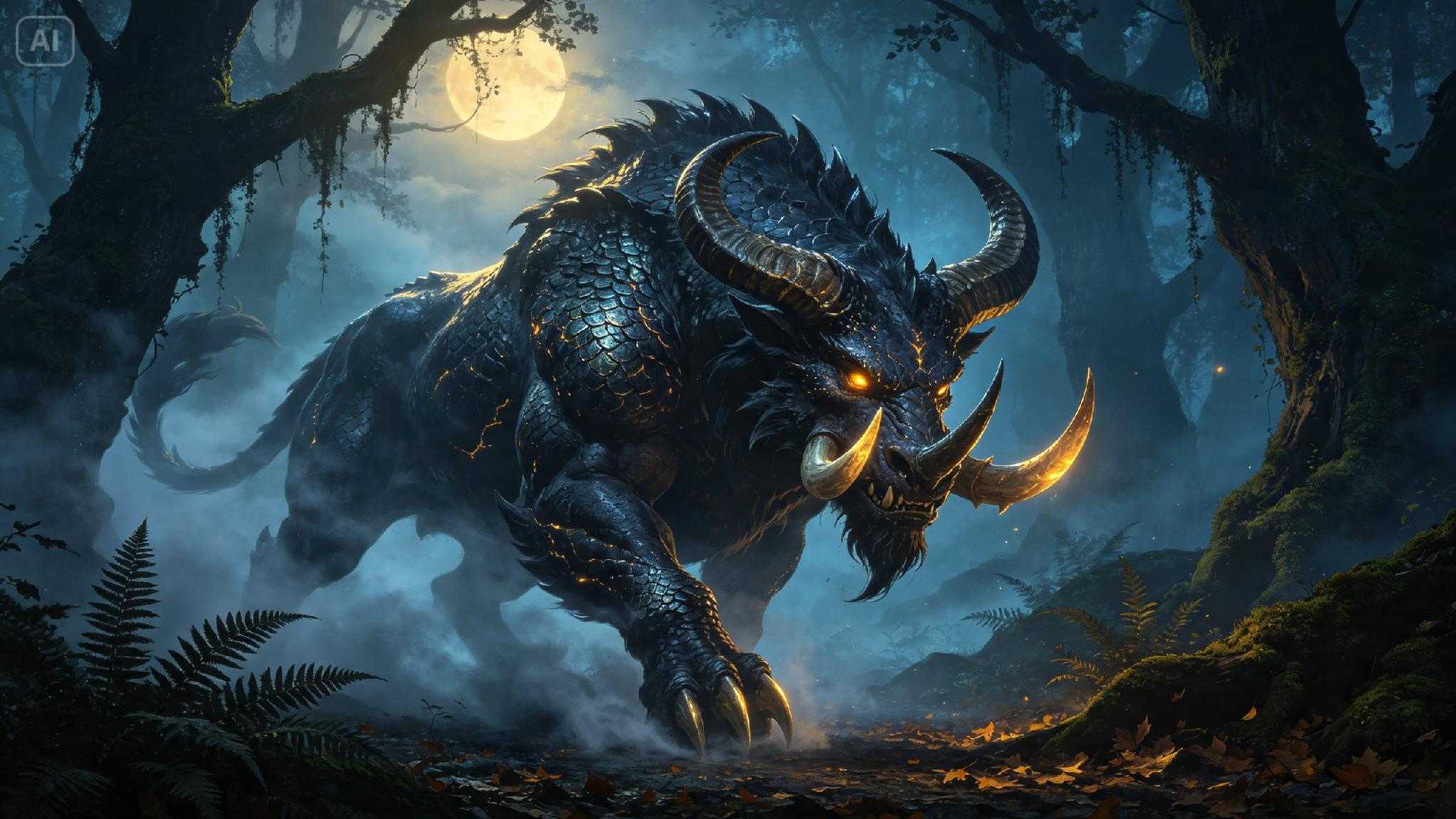
From description to concept art in three moves
Dreamina turns a page of creature lore into a finished visual reference without requiring any drawing skill.
Step 1: Write a text prompt
Open Dreamina and describe your creature with as much specific detail as possible — anatomy, texture, coloring, environment, and mood. If you have rough reference sketches or images of similar creature styles, upload them alongside your text.
A sample prompt might be: A fantasy concept illustration of a serpent-like creature with feathered wings and bioluminescent markings, coiled on a moss-covered ruin at dusk, glowing blue accents, richly detailed digital painting style.
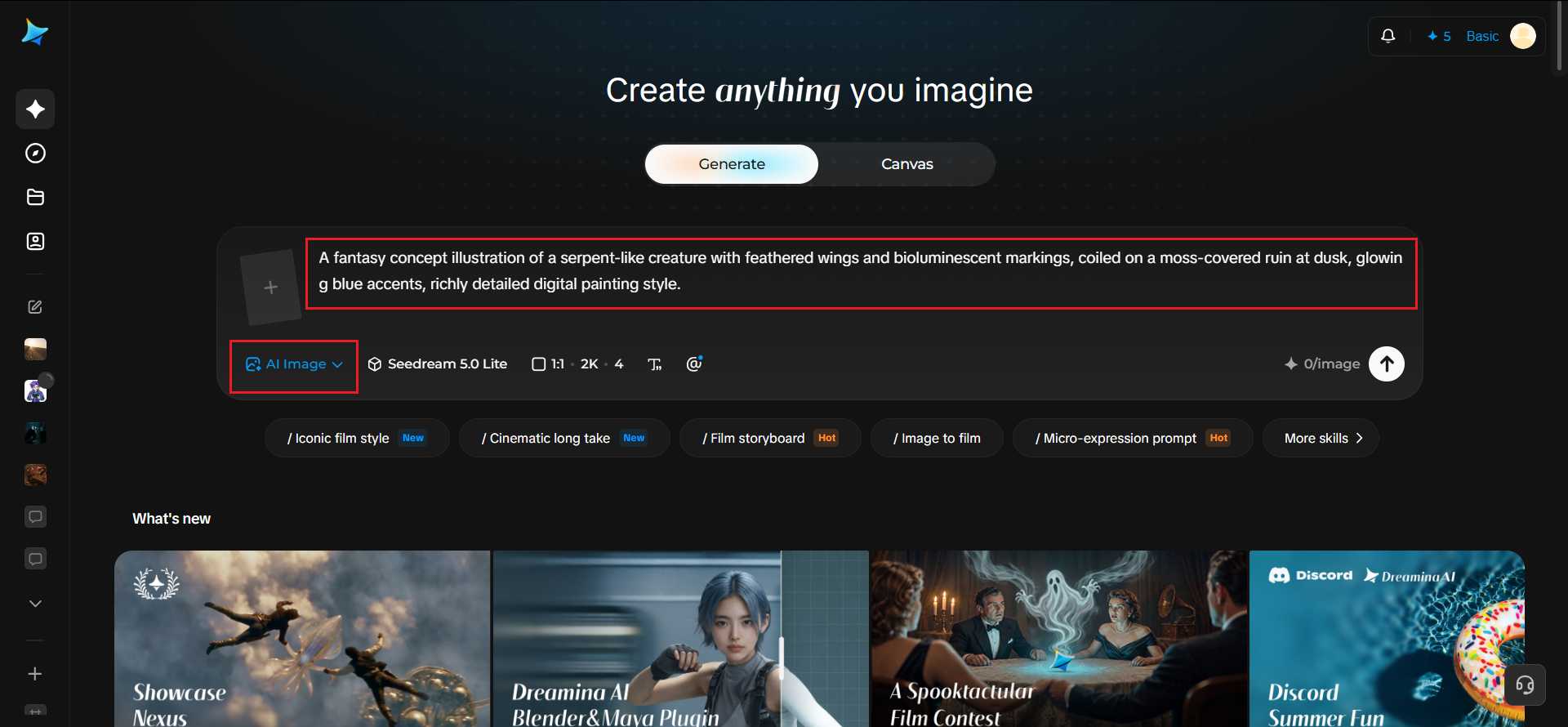
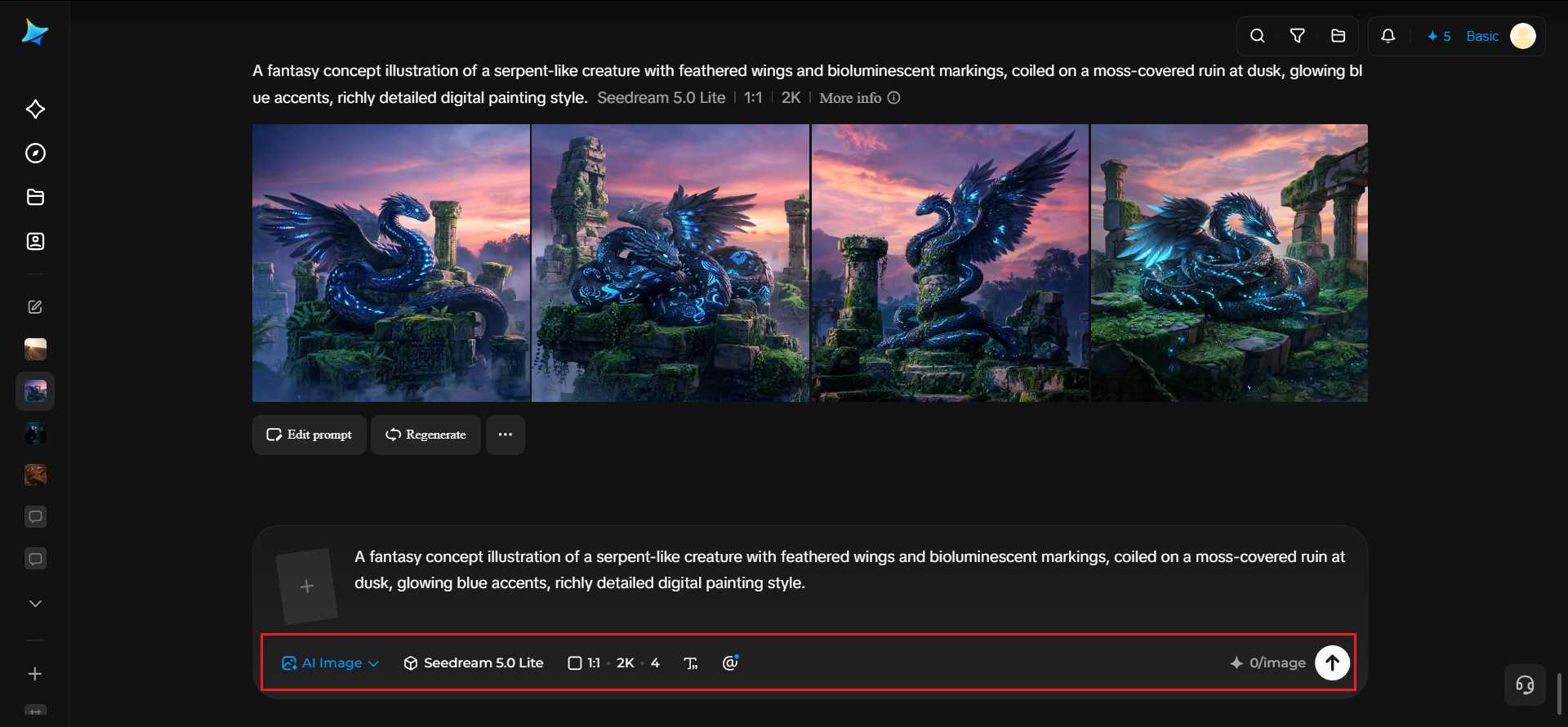
Step 2: Adjust parameters and generate
Select Image 5.0 Pro, powered by Seedream 5.0 Pro, for detailed texture work and consistent anatomy across a complex creature design, then set your aspect ratio, canvas size, and resolution — 1K for quick concept passes, 2K for a polished final reference. Click the generate icon to render your creature.
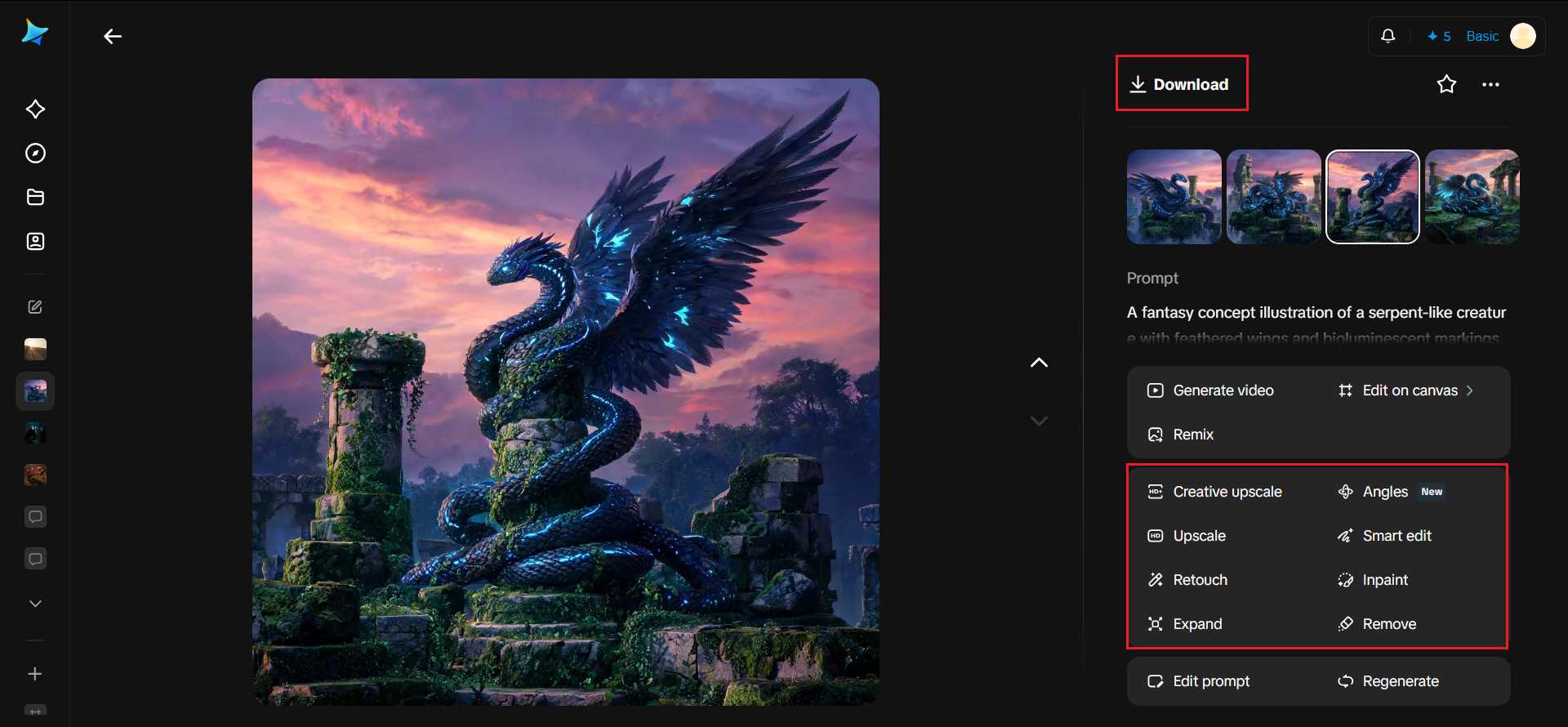
Step 3: Customize and download
Refine your creature using Dreamina's editing tools: inpaint to adjust specific anatomical details, expand to reveal more of its environment, remove to eliminate distracting background elements, and retouch for a final cohesive look. Once it's ready, click Download.
Dreamina's models and how they handle creature design
Dreamina offers a range of image generation models, and for creature work specifically, each brings a different strength to the table.
Seedream 5.0 Pro, the newest and most capable model, is especially strong at rendering complex, layered textures like scales, feathers, or fur consistently across an entire creature — a detail that often breaks down in older or lighter models. It also handles atmospheric lighting well, which matters for creatures meant to feel dangerous or mysterious rather than flatly lit.
Nano Banana offers quick generation, useful for testing several rough creature silhouettes before settling on a direction worth refining further. GPT Image 2 is a strong choice when your description includes a lot of specific anatomical detail, since it tends to follow longer, technical prompts closely.
Designing a creature that reads clearly at a glance
Even in a detailed illustration, a creature's core identity should be recognizable quickly. A distinct silhouette, a signature feature like glowing markings or oversized horns, and a clear color story all help a creature feel memorable rather than blending into generic fantasy art.
Building an entire bestiary with a consistent visual language
For worldbuilding projects with multiple creatures, keeping a shared visual thread — similar texture treatment, a consistent color logic tied to habitat or faction — helps an entire bestiary feel like it belongs to one coherent world rather than several unrelated ideas.
Turning a single creature into a living ecosystem
A truly convincing fantasy world rarely stops at one striking monster — it makes you wonder what else lives alongside it. Once you've settled on a creature's design, it's worth asking how it fits into a larger food chain or habitat: what would prey on it, what would it prey on, and what smaller or stranger species might share its environment out of necessity rather than coincidence.
Generating a predator and its typical prey side by side, or a creature alongside the smaller symbiotic species that might cling to its back or nest in its horns, does more to sell a world's believability than any single image could on its own.
It also gives Dreamina useful continuity to work with, since describing relationships between creatures naturally reinforces shared textures, color logic, and scale that make an ecosystem feel intentional rather than assembled at random. A bestiary built this way stops reading like a list of unrelated monsters and starts feeling like a place you could actually imagine stepping into.
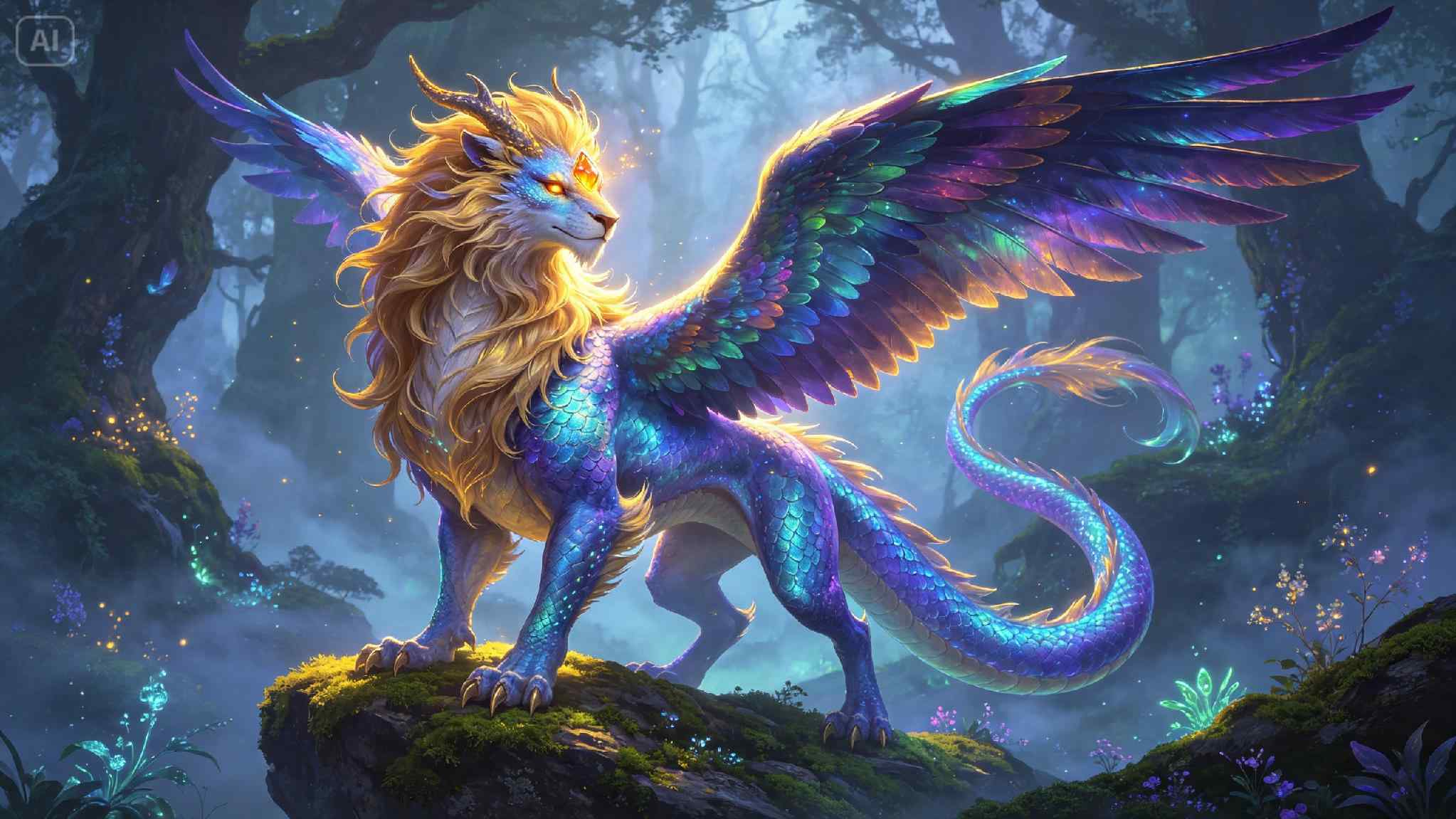
Where these creature concepts get used
Fantasy creature art built this way supports a wide range of projects:
- Tabletop game bestiaries and monster manuals
- Novel worldbuilding references and cover art elements
- Video game concept art and pre-production references
- Fan art and community worldbuilding projects
Giving imagination a shape worth studying
A creature that only exists in a paragraph is easy to forget. One rendered in full detail tends to stick with readers and players long after they've turned the page. With Dreamina and the textured precision of AI algorithms, your fantasy creature can finally step out of the description and into full view — free to try the very next time inspiration strikes.