TapVid is an Explainer Video Engine that organizes supplied assets and approved copy into a structured video. This approach fits small and medium businesses that already have a website, product images, brand material, and working language but lack a repeatable motion-production process. It does not replace approval. It gives the approval process clearer objects to inspect.
This guide shows how to build an approval-safe brief. The goal is a corporate explainer that one audience can understand, every responsible owner can verify, and the business can update without reopening the entire project.
Choose the Corporate Job
“Corporate video” describes a family of jobs, not one format. A company overview, product explanation, recruitment film, investor update, training asset, and internal change video ask different questions.
Choose one primary job:
- Explain the company to prospective customers.
- Introduce a product or service.
- Explain a process or operating model.
- Prepare an audience for a launch or event.
- Support a sales or partnership conversation.
- Communicate a change to employees or partners.
Then complete this sentence:
After watching, this audience should understand one thing and take one next step.
A local manufacturer may need distributors to understand why its new product line fits a specific application. A software company may need prospects to understand one workflow before booking a demo. These are corporate stories, but their evidence and structure differ.
Build the Approval Map Before the Script
Corporate projects stall when everyone is invited to review everything. Build an approval map that assigns each decision to the right owner.
Decision | Owner | Evidence | Approval point |
|---|
Audience and outcome | Business lead | Campaign or sales brief | Before outline |
Product behavior | Product or operations | Current documentation | Before storyboard |
Brand wording and visuals | Marketing or brand | Brand guide and approved copy | Before design |
Legal or regulated statements | Legal or compliance | Approved language | Before voice recording |
Final export | Named project owner | Approved scene list | Before release |
The final owner resolves conflicts but should not rewrite specialist facts. If legal approves a sentence, a late style edit should not change its meaning. If operations approves a process sequence, the animator should not reorder it for visual convenience.
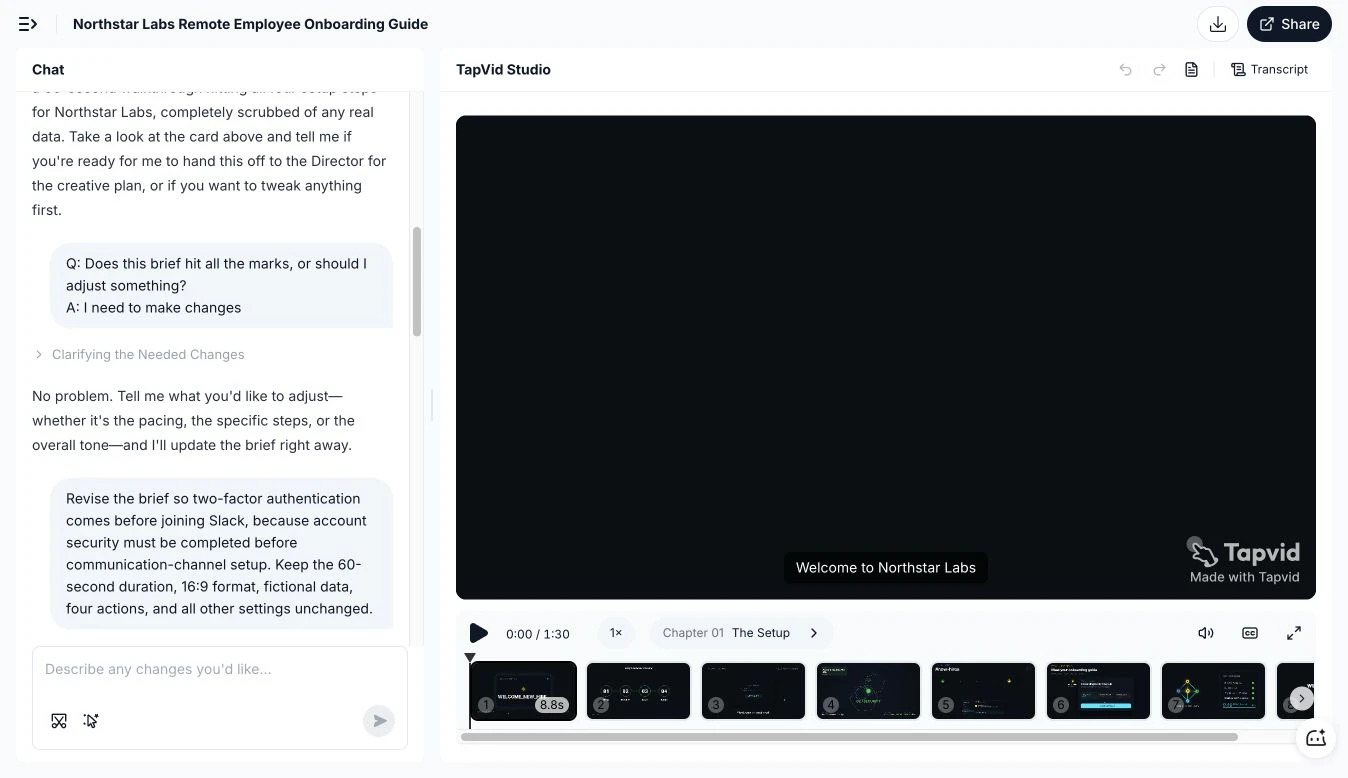
Figure: A visible scene sequence makes it easier to isolate a requested change instead of reopening the whole video.
Create a Corporate Explainer Video Source Packet
The source packet is the material the production team is allowed to use. It should be smaller than the company drive and more reliable than a search through old decks.
Include:
- The current company description.
- Approved product or service descriptions.
- Logos and brand assets in usable formats.
- Current product images, UI screenshots, or footage.
- Approved statistics and their sources.
- Exact legal, safety, or regulatory wording.
- A list of customer names or materials that cannot be used.
- The desired CTA and destination.
- The owner and version date for each item.
Do not assume that a public website gives blanket permission to reuse every logo, testimonial, customer name, or partner mark. Confirm scope. If customer permission is absent, describe the industry or scenario without identifying the customer. A documented TapVid test used a fictional Northstar Labs brief and recorded a request to move two-factor authentication before Slack setup while keeping the other specified constraints unchanged. The screenshot above supports the narrow point that the revision and scene context were visible. It is not evidence for a speed or commercial claim.
The packet also needs an exclusion list. Old logos, retired product names, unannounced features, internal data, and expired claims should be clearly marked. A production system should not have to guess which asset is current.
Use a One-Page Corporate Explainer Brief
A useful brief is short because it makes decisions, not because it omits detail.
Business outcome
State the decision or action the video should support. Avoid “raise awareness” unless the team can describe what awareness changes.
Primary audience
Name a role and situation, not a demographic. “An operations manager comparing two fulfillment partners” is actionable. “Business professionals” is not.
One approved message
Write the single sentence the viewer should remember. It should be specific enough to exclude competing stories.
Required proof
List the product screen, process diagram, product image, or approved fact that makes the message believable.
Boundaries
List topics the video does not cover, claims it cannot make, and assets it cannot use.
Next step
Choose one CTA that matches the viewer’s stage.
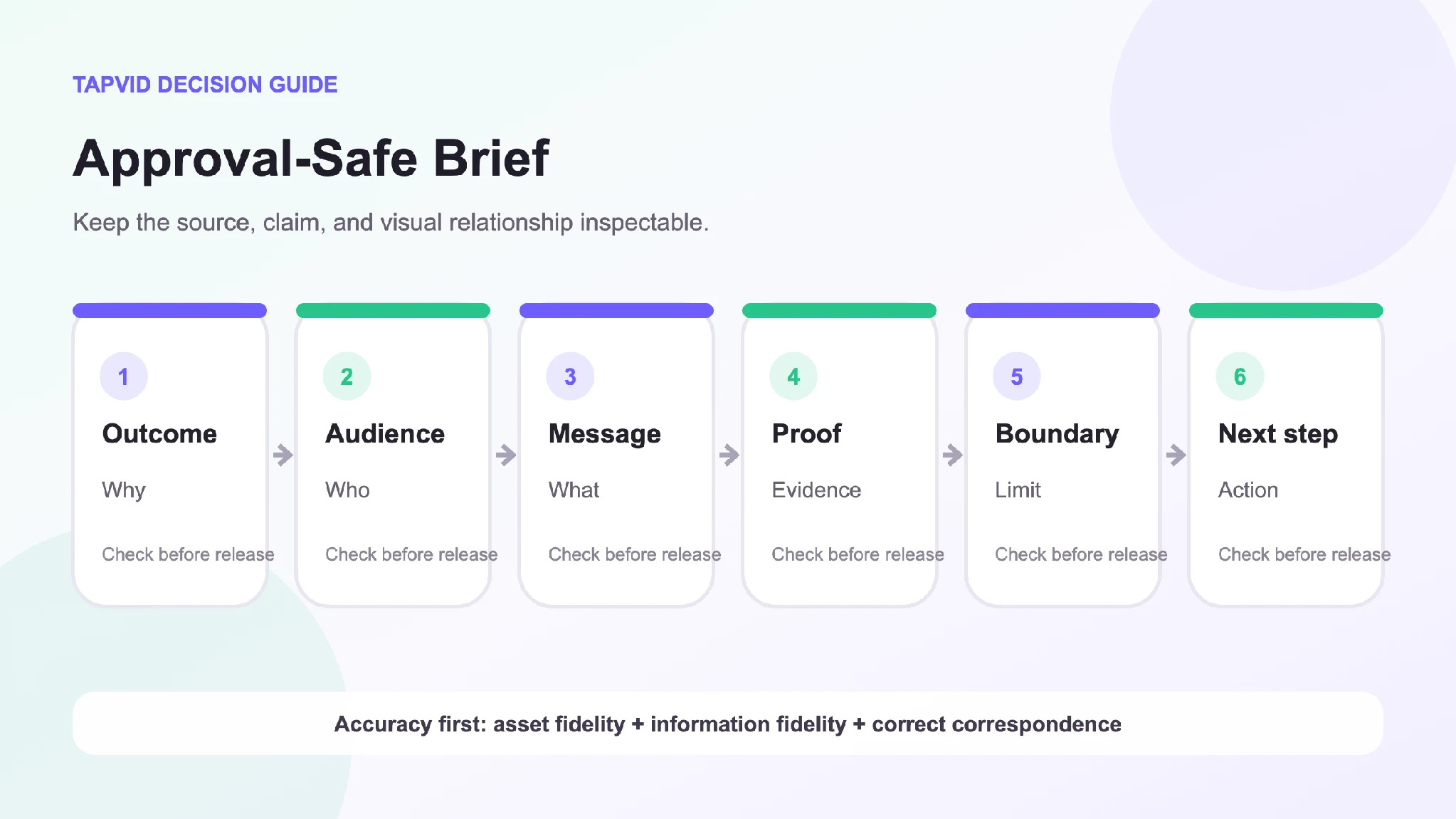
Figure: A useful brief fixes the outcome, audience, message, proof, boundaries, and next step before production begins.
Turn the Brief Into an Evidence-Led Story
A corporate explainer should not begin with a timeline of the company unless history is the decision-relevant proof. Start with the audience’s situation.
A practical structure is:
- Situation. Name the context the viewer recognizes.
- Friction. Show what makes the current method hard or risky.
- Company role. Explain what the company provides in one concrete sentence.
- Proof. Show the real product, process, asset, or example.
- Boundary. State a condition or scope that keeps the explanation honest.
- Outcome. Explain what the viewer can now do or understand.
- Next step. Give one relevant action.
This structure keeps the company from talking about itself before the viewer has a reason to listen. It also creates clear approval units. Operations can review the process scene. Product can review the product scene. Legal can review the exact claim.
Protect Brand and Information Fidelity
Corporate accuracy has three layers.
Asset fidelity means the logo, product image, screenshot, and footage remain the approved assets rather than being redrawn into approximations.
Information fidelity means product names, model numbers, prices, dates, parameters, and regulated wording remain as supplied. Copy should not be polished in a way that changes meaning.
Correspondence means the narration about product A appears with product A, the process step appears in the right order, and a number is shown beside the fact it measures.
Review these layers separately. A correct logo does not rescue an incorrect statistic. Perfect wording does not rescue a mismatched product image.
Use Scene-Level Approval
Number the scenes and give each a defined purpose. Reviewers should comment on a scene ID and a specific element.
Bad feedback says, “The middle feels off.” Useful feedback says, “Scene C04 shows the warehouse image while the narration describes quality inspection. Replace the image with the approved inspection asset.”
Track each scene with:
- Purpose.
- Approved narration.
- On-screen copy.
- Asset source.
- Claim source.
- Reviewer.
- Status.
- Update trigger.
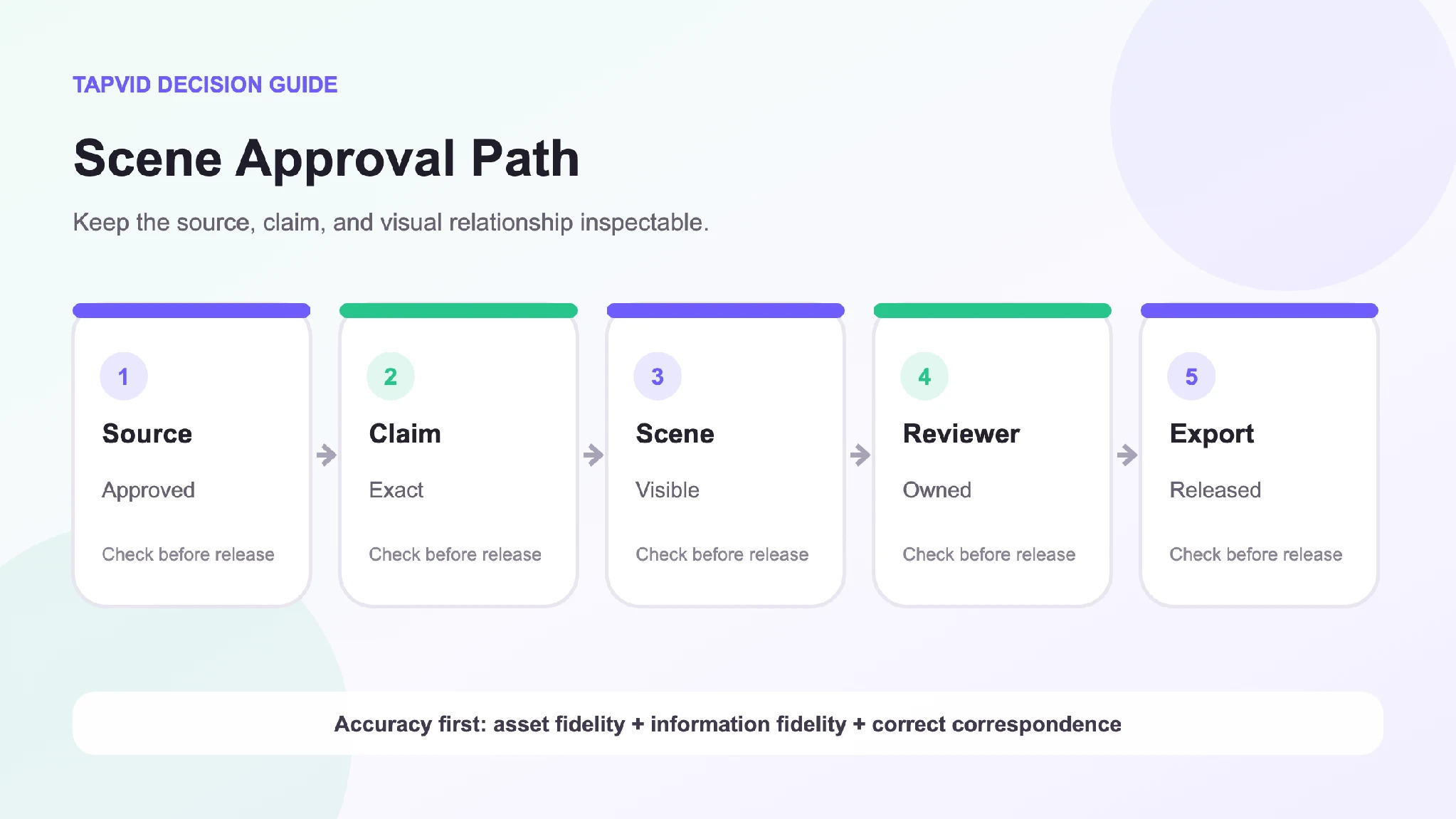
Figure: Scene-level ownership turns vague review rounds into specific, traceable decisions.
This model reduces accidental collateral changes. If leadership changes the CTA, the team can update the final scene without reopening a product sequence that has already passed specialist review.
Decide What Should Stay Outside the Video
Some information becomes stale quickly. Detailed prices, limited offers, office counts, service regions, plan inclusions, delivery times, and legal terms may be better on a maintained webpage or sales document.
The video can state a stable idea and direct the viewer to the current source. This keeps a long-lived asset from carrying outdated commercial detail. If a volatile fact must appear, tag its scene with an owner and review date.
The same principle applies to unsupported superlatives. “Industry-leading” and “the only platform” are difficult to prove and easy to invalidate. Show the relevant capability and let the viewer judge.
Plan Variants Without Fragmenting the Message
One approved core can support several corporate placements:
- Homepage overview.
- Sales presentation.
- Event opener.
- Social cut.
- Partner introduction.
- Internal announcement.
Create variants by removing scenes, not by rewriting approved claims casually. Keep a variant register that records which core scenes appear in each export. When a product asset or claim changes, the team can identify every affected version.
For professional content producers, this register is also a delivery control. The client can approve the source scene once and know where it is reused. The production team can make local changes without creating silent inconsistencies across formats.
Run the Final Corporate Review
Use five passes.
Purpose pass
Can the primary audience identify what the video is about and what to do next?
Fact pass
Does every product, process, number, and claim match its source?
Correspondence pass
Does every visual support the exact narration and caption at that moment?
Permission pass
Are logos, people, customer material, music, footage, and quotations cleared for the intended use?
Presentation pass
Are pacing, readability, voice, sound, and brand treatment suitable once the factual layers pass?
Do not collapse these into one “final review” meeting. Specialist reviewers should see the pass that belongs to them and the specific scenes that require their decision.
A Practical Release Checklist
Before publishing, confirm:
- The video has one corporate job.
- One audience, message, and next step are explicit.
- Every asset comes from the approved source packet.
- Claims and locked wording match approved sources.
- Customer and partner material has permission.
- Product, narration, and captions correspond scene by scene.
- Volatile facts have an owner or stay outside the video.
- Every export maps back to approved core scenes.
- The named final owner approved the exact export.
- Update triggers are recorded.
The aim is not to promise that a corporate video will never require correction. The aim is to make the causes of correction visible and local, so the team can respond without losing control of the rest of the asset.
Frequently Asked Questions
What should a corporate explainer video include?
It should include one audience situation, one clear company or product role, real proof, an honest boundary, and one next step. Additional sections should earn their place by supporting that decision.
Who should write the script?
A marketer, producer, or specialist writer can draft it, but product, operations, legal, and brand owners should approve the claims inside their scope. Name one final owner for the export.
Should a small business use animation or live action?
Use real footage when people, place, craft, or physical context is the proof. Use motion graphics for processes, relationships, and information that cannot be filmed clearly. A hybrid can use both.
How do you keep a corporate video current?
Tag scenes that depend on volatile assets or claims, maintain a variant register, and trigger review when the source changes. Avoid putting unstable details into a long-lived video unless necessary.
Can one corporate explainer serve sales and internal communication?
They may share approved scenes, but the audiences and next steps differ. Create controlled variants rather than forcing both jobs into one generic cut.
Approval Is Part of the Product
A corporate explainer becomes useful when the company can stand behind it. Choose one job, control the source packet, assign decisions to real owners, and approve scenes against evidence. That process may look less dramatic than a creative kickoff, but it produces the thing the business actually needs: a video it can deliver with confidence.